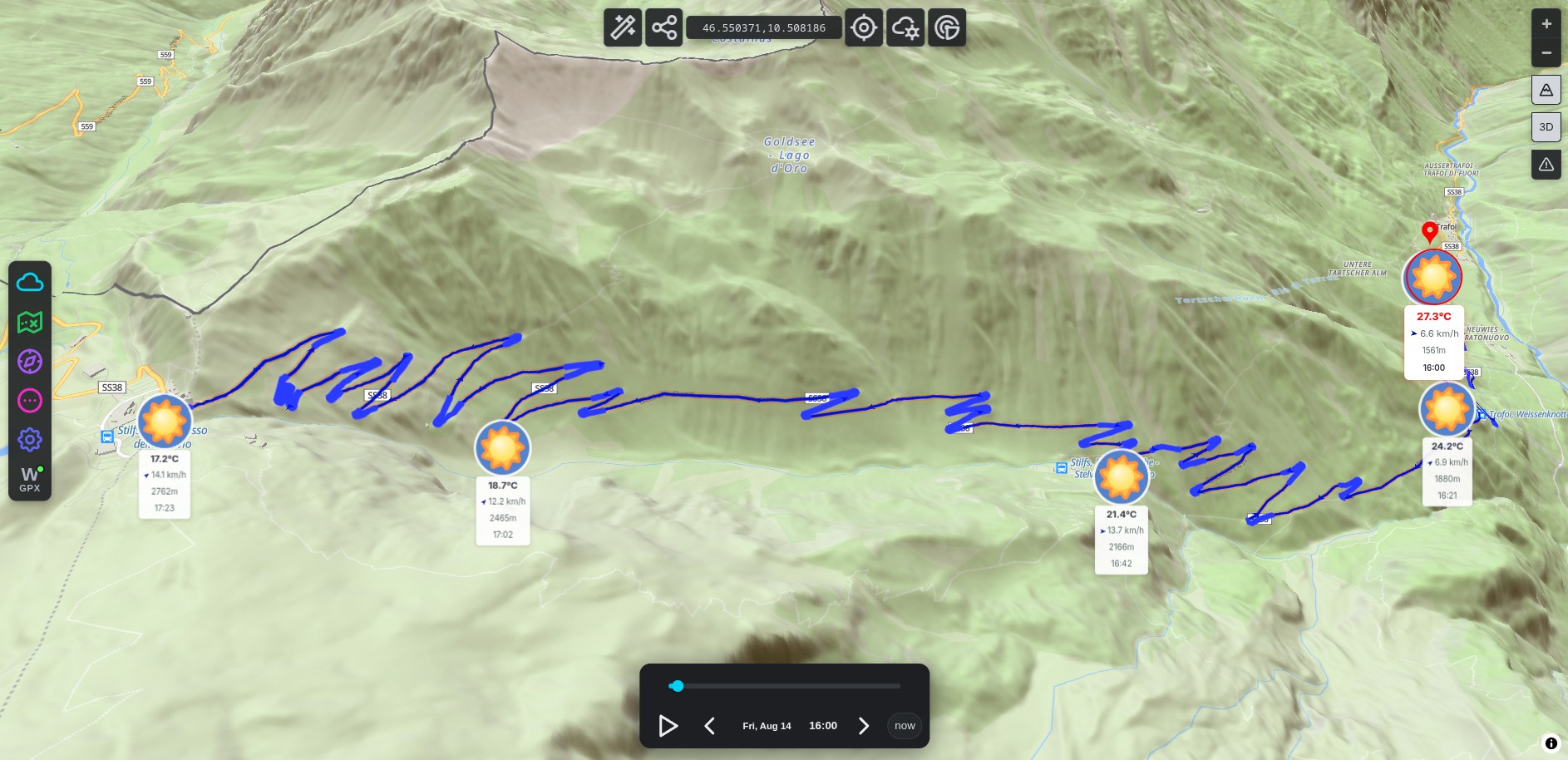
Headwind or tailwind, rain at the col, temperature drop on the descent, know before you roll out.
Try WeatherGPX free →
Every kilometer of your route, every hour, wind, rain, and temperature timed to your arrival
Headwind or tailwind at each waypoint, timed to your arrival. A 30 km/h headwind on a 3-hour exposed climb is a very different day than a tailwind, know it before you commit.
Wet brakes, cold fingers, slippery corners, WeatherGPX shows exactly where and when rain hits your route, and how cold it gets after a long descent.
16-day outlook for your specific route. WeatherGPX finds the 5 best departure windows, less wind, no rain, so you pick the cleanest ride day, not just the most convenient one.
Active wildfires, floods, earthquakes, cyclones, volcanoes and droughts, drawn on the map from NASA FIRMS and GDACS. Smoke hanging over a valley is worth knowing about before the ride, not at kilometre 80.
Works with GPX files from Komoot, Strava, Garmin Connect, or a Google Maps directions link
Export your ride from Komoot, Strava or Garmin Connect as a GPX and upload it. Or paste a Google Maps cycling route link directly.
Tell WeatherGPX when you roll out and your average speed. It calculates when you'll hit each climb, each col, each exposed stretch.
Wind speed and direction, rain, temperature at every waypoint, timed to your arrival. Up to 16 days ahead, pick the cleanest window for your ride.
Free, no account needed, works on any cycling route anywhere in the world.
Open WeatherGPX →